
Create your first form
Describe it to Jarvis, start blank, upload a file, or pick a template — then publish.
After you log in, every new form starts at New form. You can describe it to Jarvis, upload a file, paste a URL, start blank, import SurveyJS JSON, or pick a template.
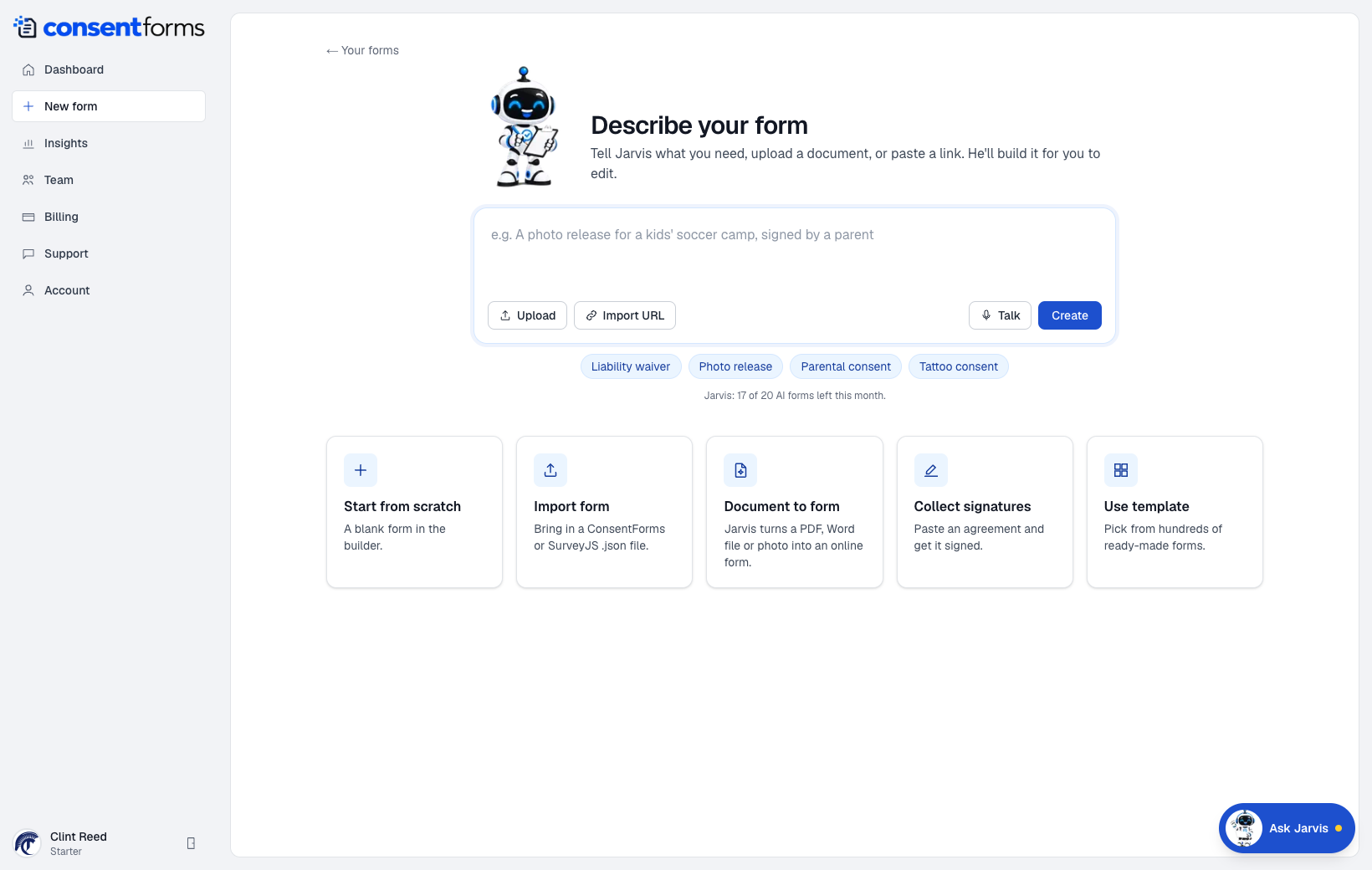
- 1Describe the form in plain language.
- 2Create — Jarvis drafts the form and opens the builder.
- 3Upload a PDF, Word doc, or photo of a paper form.
- 4Start from scratch with name, email, and a signature field.
- 5Use a template from the gallery.
What each path does
- Describe + Create — fastest for a typical waiver or release. Uses your monthly Jarvis AI allowance (shown under the prompt).
- Upload / Import URL / Document to form — Jarvis reads an existing paper or web form and rebuilds it as fields.
- Collect signatures — paste an agreement and we wrap it with a signature.
- Start from scratch — empty builder with the usual identity + signature fields.
- Use template — copy one of the public templates into your workspace. See Use a template.
Then publish
A new form is a Draft. Clients cannot open it until you click Publish in the builder. After that, copy the link from Settings.